Somtoday Integration
AI-School offers an integration with Somtoday. This integration ensures automatic synchronization of Somtoday with AI-School on the following interfaces:
- Employees
- Students
- Home groups
- Class groups
- Subjects
Through this automatic integration, the administrator does not need to manually add employees, students, groups, and subjects. The data is automatically synchronized from Somtoday.
Somtoday Connect
To establish the integration, we first go to Somtoday Connect. This is the central place where you manage all Somtoday integrations.
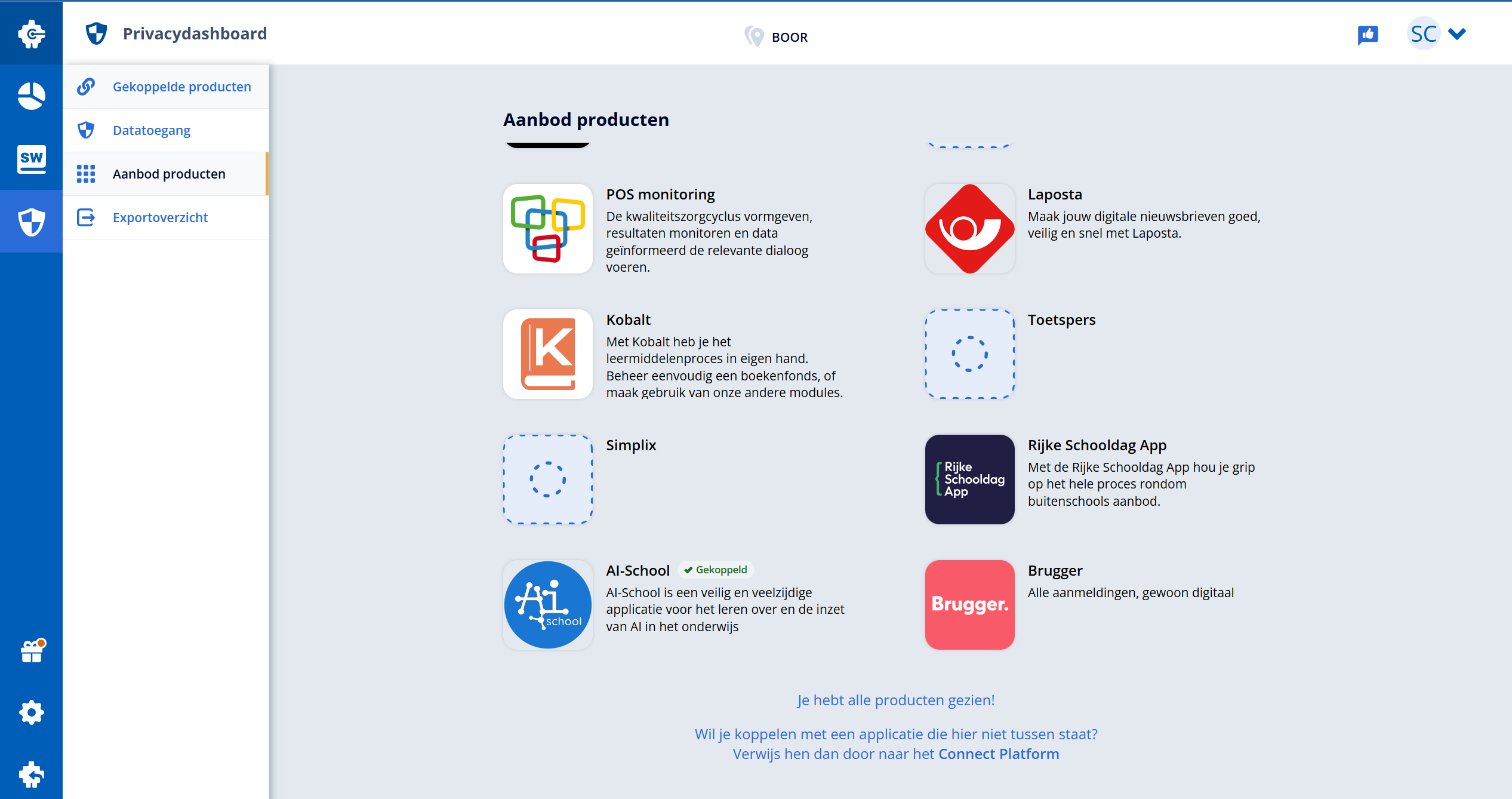
AI-School in Product Catalog
In the product catalog, you'll find AI-School as an available integration. Select AI-School to configure the integration.
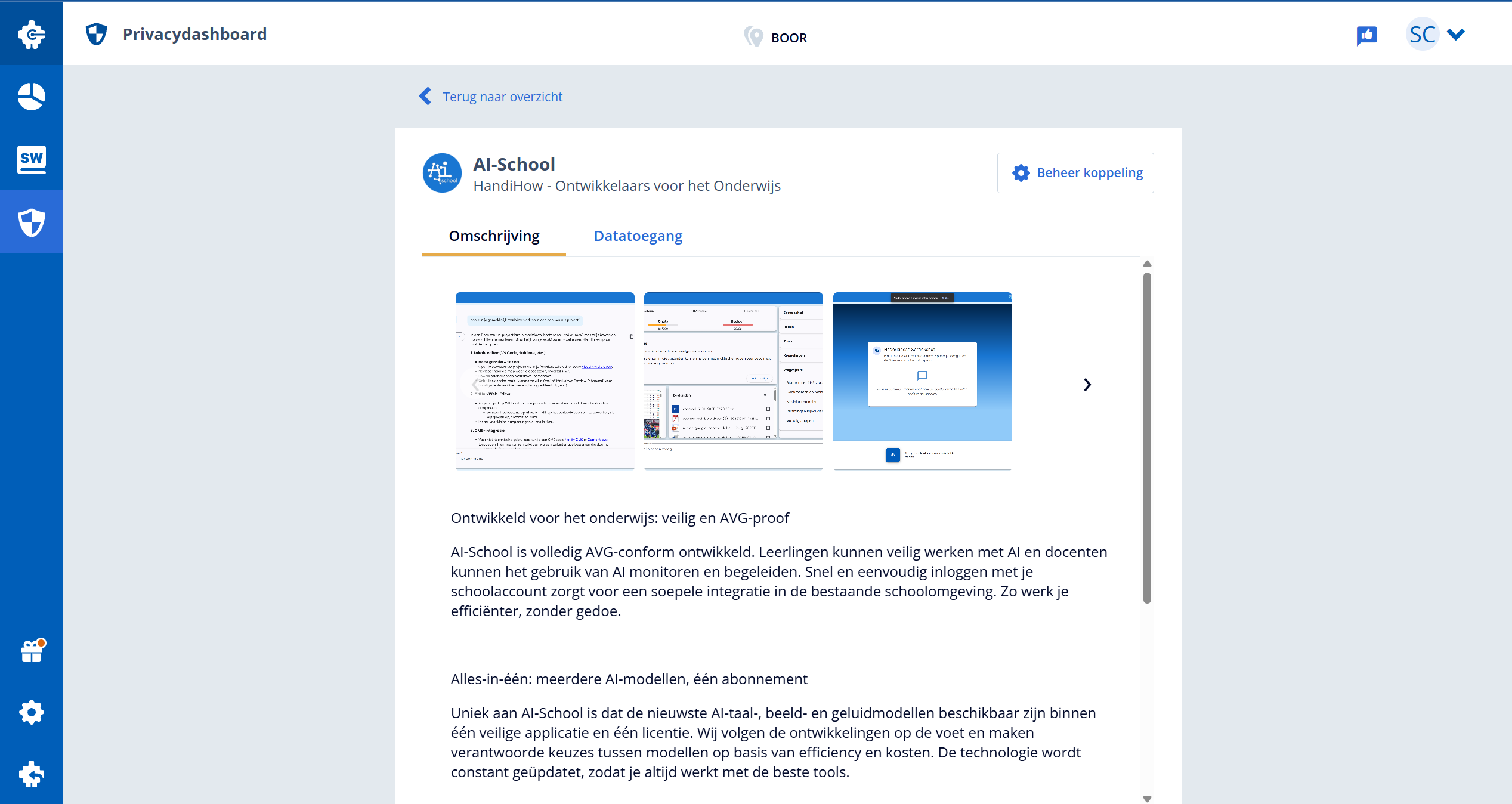
Manage Somtoday Integration
After selecting AI-School, you'll see the Manage Integration button in the top right. Click this button to manage the integration settings.
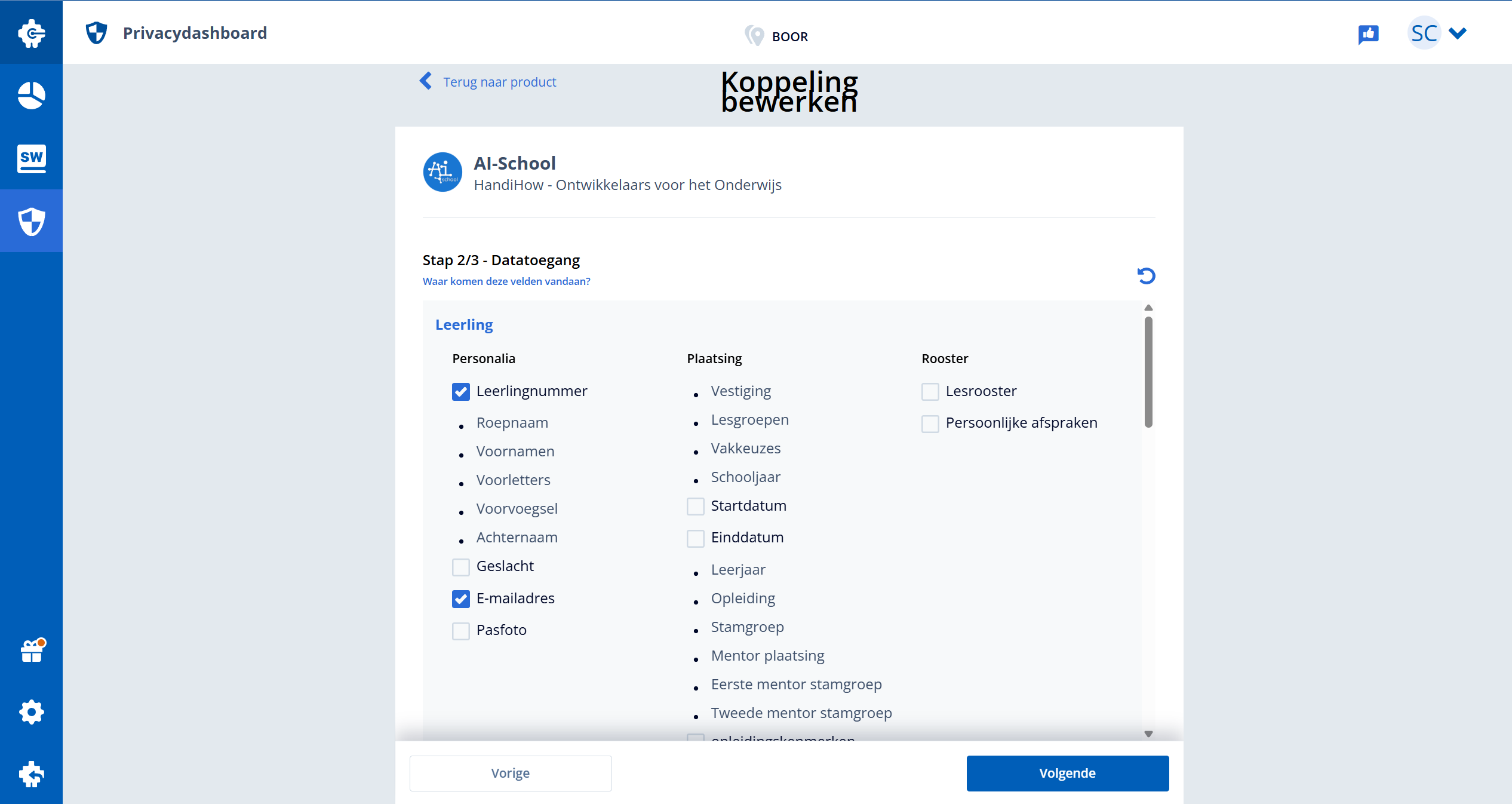
Configure Data Access
For the integration to work correctly, you must check the following fields under data access:
- Student Number
- Email Address
These fields are necessary for the integration between Somtoday and AI-School to function correctly.
Synchronization
After correctly configuring the data access, synchronization will start automatically. The data of employees, students, home groups, class groups, and subjects will be synchronized from Somtoday to AI-School.
Class groups appear with their students and teachers in the teacher's Groups overview. Their name and members are updated with every sync and cannot be changed in AI-School. A synced class group has no login code; the teacher can switch one on. Class groups that are no longer in Somtoday are deactivated, not deleted. If the integration may not read class groups, the other data is still synchronized.
The synchronization takes place automatically every day at 2:00 AM, ensuring that changes in Somtoday are automatically implemented in AI-School.
Manual synchronization and change log
You can start a manual synchronization from the Somtoday settings. The status shows the queue, connection, subjects, staff, groups, students and finalization phases. Closing the screen only stops browser monitoring; the server task continues. A stalled task is automatically marked as failed so a new synchronization can start.
Open Synchronization history and choose Details to see which records were created, changed, deactivated or deleted during each synchronization. Changed fields show their old and new values. Only authorized administrators can access this log, which supports accountability for data processing, including Edu-V Consent. Synchronizations from before the introduction of the log do not contain these details.